How can I update plan termination rules?
Plan termination rules may be updated in the event that your carrier has changed its policies on how soon benefits must end after termination or a change in employment status. Please make sure to confirm all plan termination rules with your carrier before making changes in Namely.
To change the plan termination rule on plans managed in the Benefits Setup Assistant:
-
Navigate to your HRIS site.
-
Click Manage Benefits on the springboard.
-
Once in ABBA, click Edit next to the plan you would like to update.
-
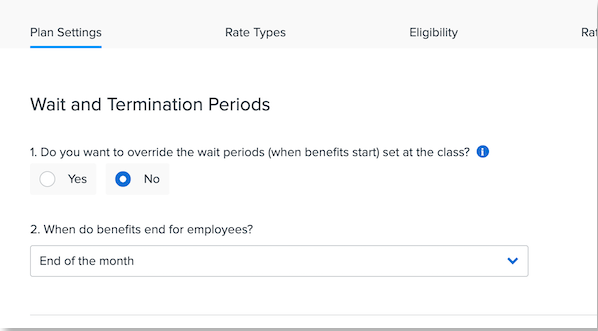
On the Plan Settings tab, you can edit the termination rule under Wait and Termination Periods.
To change the plan termination rule on plans managed in Namely Payroll:
-
Navigate to Namely Payroll > Enrollment Setup > Configuration > Plan.
-
Click Edit Plan next to the plan you would like to update.
-
You can then edit the termination rule in the Plan Termination Period Rules section.
