How can I configure my time off plan so that carryover balances expire?
To insert a carryover expiration:
-
Click Company > Settings > Time Off.
-
Select the intended time off plan.
-
Click Edit next to the plan.
-
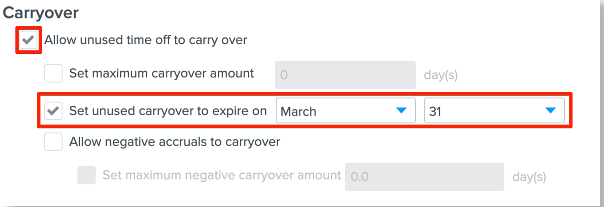
In the Carryover section check the box for Allow unused time to carry over.
-
Check the box for Set unused carryover to expire on and enter the expiration date.
-
When creating a carryover expiration date, enter the date the carryover can no longer be used.
-
Example: If the last day carryover can be used is March 31st, employees can no longer be able to use their unused carryover days on April 1st.
-
April 1st would be entered for the expiration date. Once it is April 1st, all carryover accrual will reset to 0.
-
-
-
Click Save.