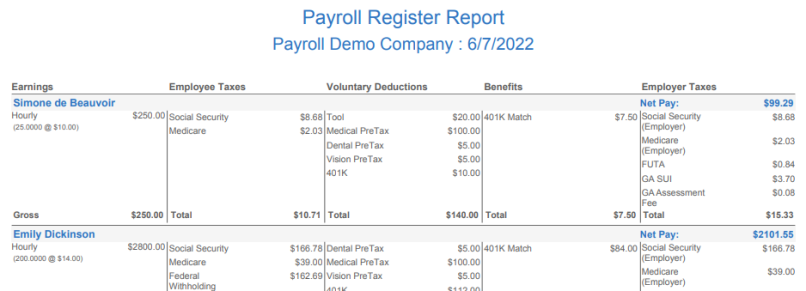
Payroll Register
Payroll Register
The Payroll Register provides a granular breakdown of each employee's wages, taxes and deductions as well a breakdown of employer taxes by employee.
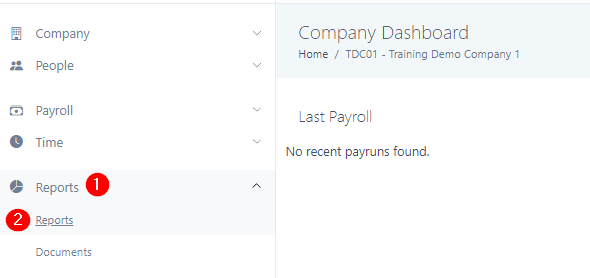
1. Click the Reports tab in the left navigation bar and select Reports.
2. Select the Payroll Register box to make the necessary adjustments to the report. This report can be pulled by specific payrun, quarter, year, or date range and can include as many or as few employees as entered in the employee field. If you would like a report of all employees, then leave the employees field blank.
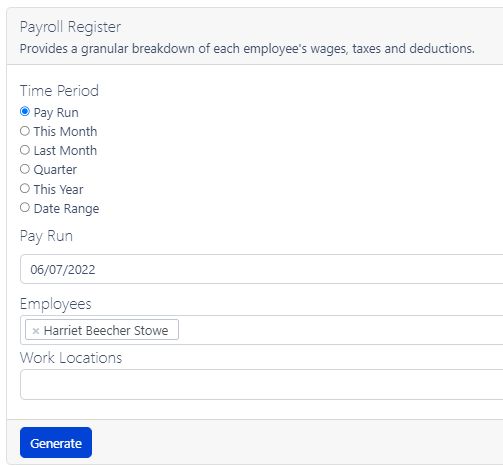
3. Generate. The report will download depending on your computer's settings.