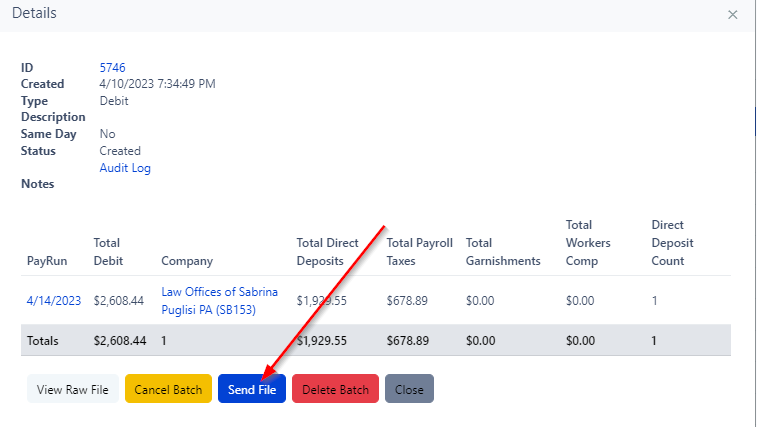
How to Push Payroll Through
If a payroll is needing to be pushed through since the payroll was processed after their deadline, then the below steps will need to be taken by Tier 2. Note, pre-approval is needed from management prior to payrolls being processed after deadline.
Who.when can late payrolls be processed?
- Support can process late payrolls until 3:30PM EST
- Tier 2 will need to wait to process late payrolls after ACH files are finalized and sent by the auto batcher. This will typically be at 4:05PM EST. Please see the below steps:
1.Process the payroll for the dedicated check date.
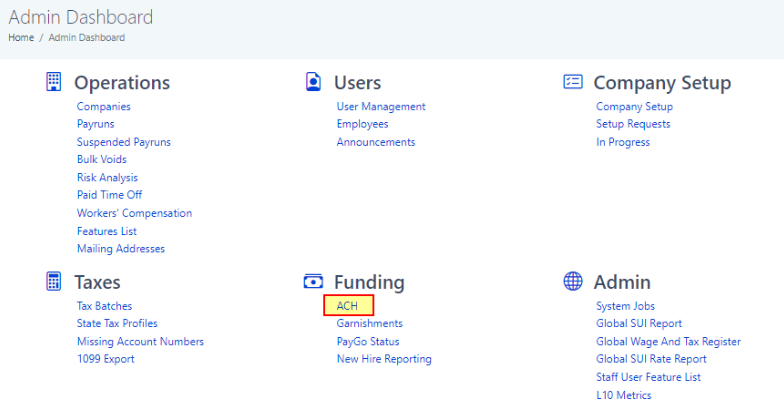
2.From the Admin Dashboard, select ACH under the Funding category.
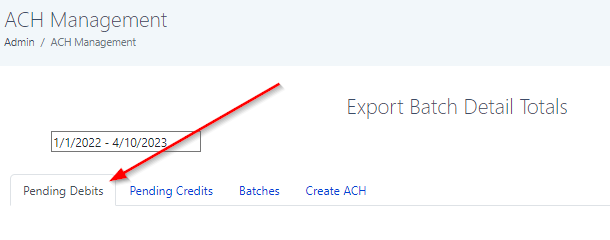
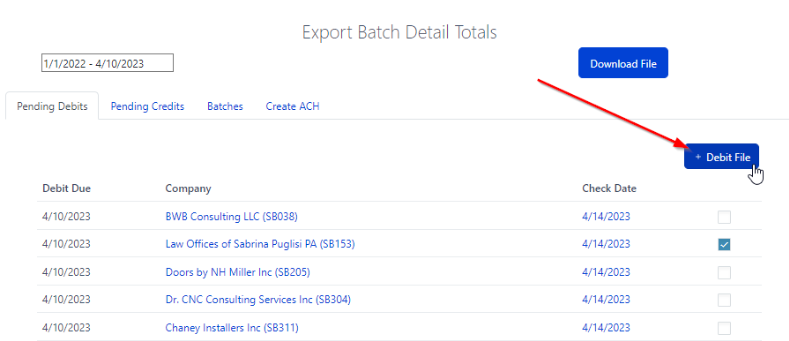
3.Select the Pending Debits tab
4.Find the client that is needing their payroll pushed through and select the check box on the right hand side of the check date.
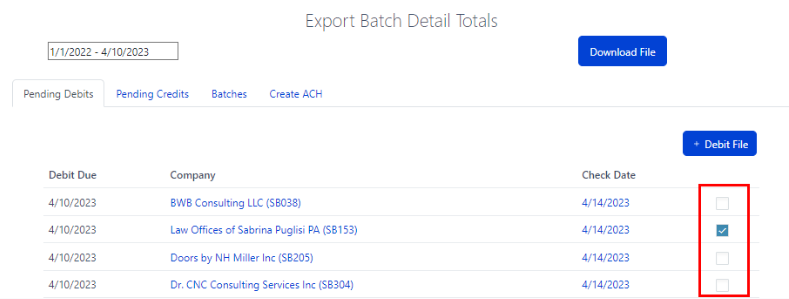
5.Then click the blue + Debit File button to create a manual batch for the payroll.
6.Review the batch and click the blue Send File button.